The home office journal / Practical decisions
Logitech K120 vs MX Keys Mini: layout before luxury
Compare a wired number-pad keyboard with a compact wireless illuminated format.
By Office Home Supply editorial · Updated 2026-10-10 · 3 minute read
These keyboards answer different questions
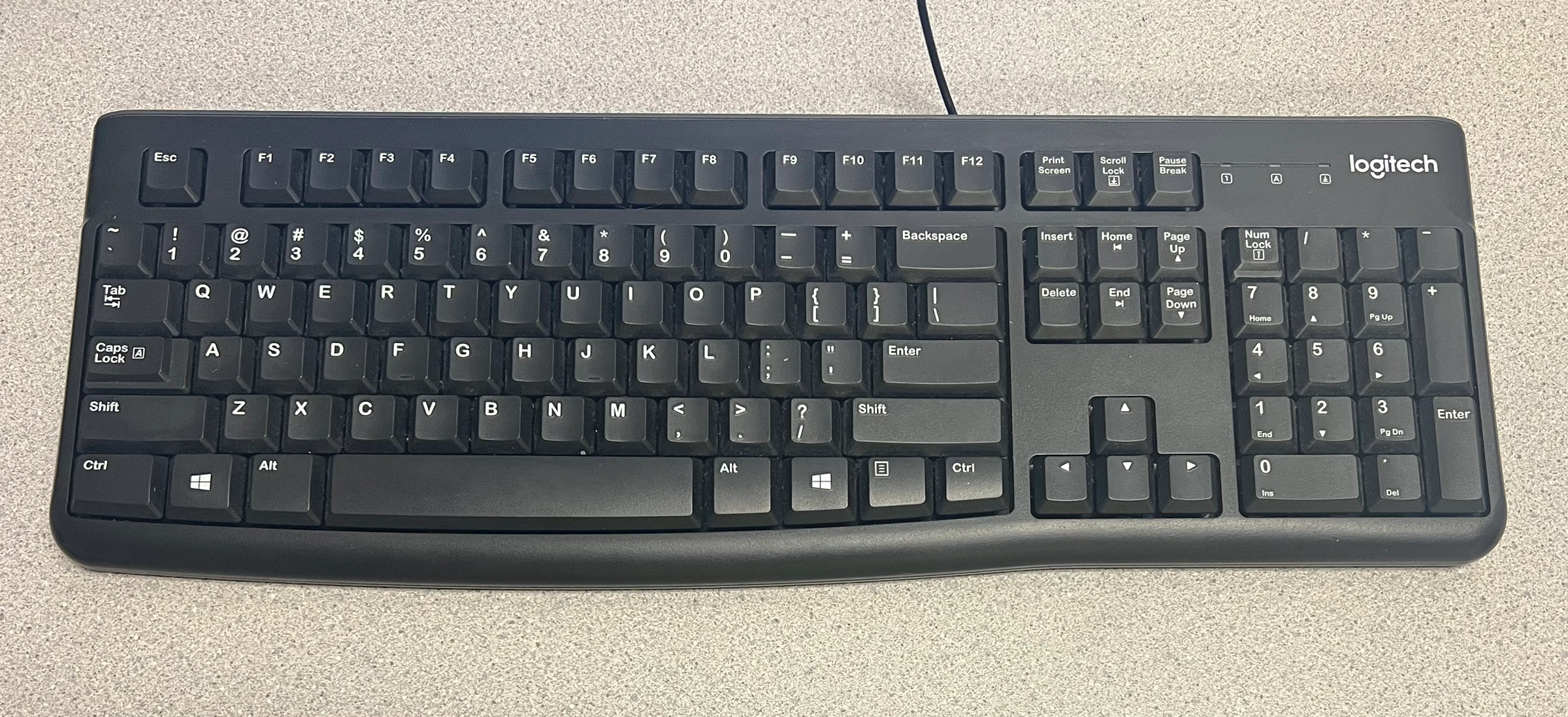
K120 is the wired, full-size option in this comparison. Its retained manufacturer facts identify a number pad, deep-profile keys and adjustable tilt legs. MX Keys Mini is a compact wireless illuminated keyboard. Those differences are more useful than a blanket recommendation that the newer or more elaborate model is better. Start by deciding whether frequent number entry, portability, available USB ports or the width of the input area is the actual problem you want to solve.
Choose a layout around your work
If you regularly enter figures, write down how often you use a number pad and whether replacing it with the top number row would interrupt that routine. A compact keyboard can leave more room beside it for a mouse, but it changes familiar key placement. Compare the exact regional layouts, including the Enter key, printed legends and shortcuts. The photographed K120 in our shopping collection is the black US-English ANSI consumer model, part 920-002478; an education package or another market's layout is a different selection.
Map the connection before checkout
K120 uses a wired USB connection. Reserve a suitable port and enough cable path to reach it without pulling the keyboard away from your chosen position. For MX Keys Mini, check the current manufacturer connection and operating-system requirements for the exact selected part. Do not infer that every wireless Logitech keyboard uses the same receiver or that a receiver is included because another model has one. Optional software features need their own compatibility check.
Decide whether illumination matters
The Mini's illuminated format can be a preference worth paying for, but it is not evidence of faster typing or a more comfortable desk. Try your present keyboard under the room lighting you actually use. If the main problem is glare or input placement, changing the room arrangement may help clarify what a replacement needs to do. We have not measured either keyboard's typing speed, sound level, battery behavior or durability.
Our selection framework
Shortlist K120 when a full-size wired layout and number pad meet the task. Shortlist MX Keys Mini when a compact illuminated wireless format is a deliberate priority and its exact connectivity is verified. Keep a separate list for language layout, software requirements and included accessories. Compare current merchant prices at checkout; this article does not invent a numerical price comparison or assume both models have an authorized affiliate offer.
Sources & further reading
- Logitech K120 USB Keyboard — official product information
- Logitech MX Keys Mini — official manufacturer information
Original planning analysis based on the cited specifications. We do not claim hands-on testing. Confirm manufacturer compatibility and follow the supplied instructions.