The home office journal / Practical decisions
Choose portable storage around a host port and a restore plan
Compare the exact T5 EVO 8TB and T9 4TB identities, check the documented USB mode against your computer, and assign a real file-recovery task before ordering.
By Office Home Supply editorial · Updated 2026-10-11 · 3 minute read
Start with the file handoff you need to recover
A portable drive can carry a project between workstations or hold a second copy of an archive. Write down the files involved, the person responsible and the computer that must open them. Then describe the acceptance task: retrieve a representative folder on the intended workstation and confirm that its contents are usable. Choose a drive around that task rather than treating capacity or an interface label as a complete plan.
Keep the exact capacity and region together
The two researched examples here are Samsung T5 EVO 8TB, US part MU-PH8T0S/AM, and Samsung T9 4TB, US part MU-PG4T0B/AM. These are different models and capacities. Record the complete part in your shortlist and compare it with the retailer's selected variant before ordering. Manufacturer nominal capacity and the space reported after formatting can differ. Estimate your own archive size, expected growth and number of retained copies; this guide does not establish how much storage your work requires.
Check the host port before comparing transfer modes
Samsung's T5 EVO revision 1.0 data sheet identifies USB 3.2 Gen 1 at 5 Gbps. Its T9 revision 1.0 data sheet identifies USB 3.2 Gen 2x2 at 20 Gbps. Those are documented interface modes, not measured transfer results from our testing. A USB-C connector shape alone does not prove that a computer supports either mode. Check the computer documentation, the intended port and the actual cable together. Manufacturer transfer maxima depend on the host, cable and system environment. If the port capability remains unknown, retain that question in the shortlist instead of promising a speed improvement.
Read the photograph as a captioned reference
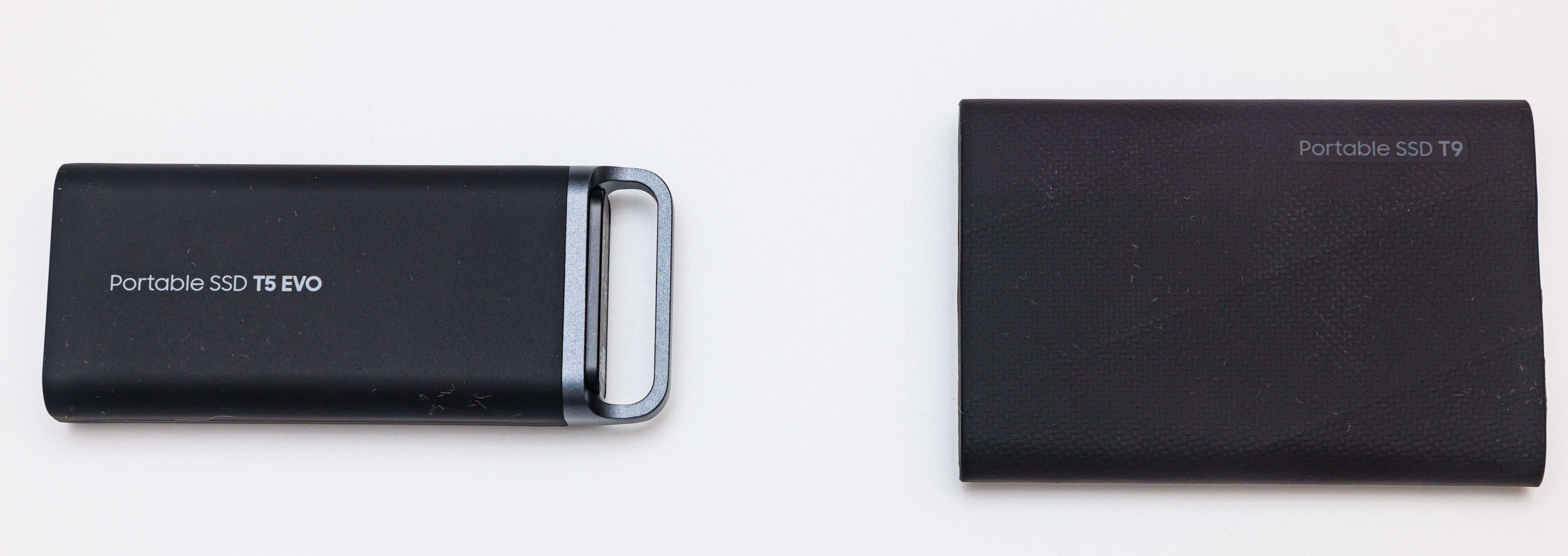
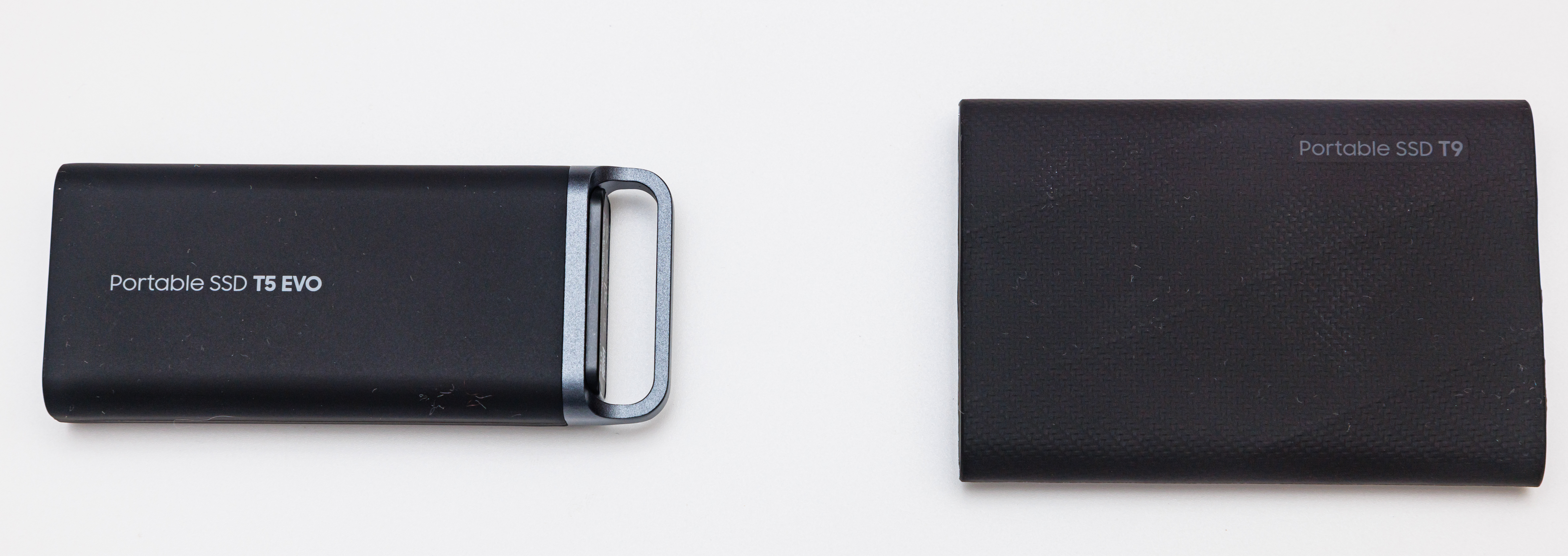
The genuine product views show a T5 EVO on the left and a separate T9 on the right. The photographer identifies their capacities as 8TB and 4TB; capacity and US regional labels are not readable in those views. Their presence in one photograph does not mean two drives are included in either offer. The product pages retain the photographer credit, license and model-specific captions. Use manufacturer and retailer identity evidence for the US part, and check package contents and seller condition separately.
Assign a restore check and a responsible person
Before copying work, confirm the file-system and operating-system requirements for the computers involved. If you use the drive's documented encryption feature, decide who will retain the necessary recovery information in an appropriate private location. Keep account credentials out of a shared buying shortlist. A drive used for a handoff is not automatically a backup: decide where an independent copy remains and arrange a restore check appropriate to your work. Record the date, the files checked and the person responsible for resolving a failure. We have not tested your equipment or established a recovery guarantee.
Finish the order with the open questions visible
Compare these exact portable SSD models using the shopping comparison, then read each product's sources and captions. Current retailer price, availability, shipping, selected capacity and warranty eligibility still need the buyer's own check. Keep unresolved host or package questions beside the purchase link. An ordered drive becomes useful when the intended user can identify it, connect it as documented and retrieve the required work; the planning record should make that acceptance task clear.
Sources & further reading
- Samsung T5 EVO revision 1.0 manufacturer data sheet
- Samsung T9 revision 1.0 manufacturer data sheet
- Dinkun Chen front product photograph and per-work description
Original planning analysis based on the cited specifications. We do not claim hands-on testing. Confirm manufacturer compatibility and follow the supplied instructions.