The home office journal / Practical decisions
Map desk glare at the times you actually work
Use a morning, midday and evening observation record to distinguish reflected glare, direct light and an unlit paper task.
By Office Home Supply editorial · Updated 2026-10-11 · 3 minute read
Observe the room before choosing a lamp
A reflection that appears only in the afternoon can lead to the wrong purchase if you inspect the desk at night. OSHA's lighting guidance distinguishes bright sources in the viewing area from reflected light on the screen and insufficient illumination for paper work. Build a small record at the times you normally use the room. These observations can reveal whether lamp placement, screen orientation or window control deserves attention first.
Create three repeatable observations
Use the same chair position, screen position and representative document during morning, midday and evening checks where those times match your routine. Record which lights are on, the window covering position and the visible bright area. A photograph can help recall the arrangement, but camera exposure is not a measurement of illumination or visual comfort. Do not infer a precise lux value from a phone photograph.
Name the problem in each record
Note whether a window or lamp is directly in your field of view, reflected on the screen, or leaving the paper area poorly lit. Turn off or reposition one existing light where safe and observe the difference. Change one factor at a time so that the result remains interpretable. Do not compensate for every reflection by continually increasing monitor brightness. Keep brightness settings and screen cleanliness recorded as part of the arrangement.
Test placement on paper
OSHA suggests positioning the screen at right angles to windows and placing task lighting so it does not reflect on the screen. Sketch feasible orientations within your room rather than treating that guidance as permission to block an exit or move heavy furniture alone. Mark the paper area and the hand that may cast a shadow while writing. Check the lamp's base or clamp location separately from where its light needs to land.
Compare a product against the observed task
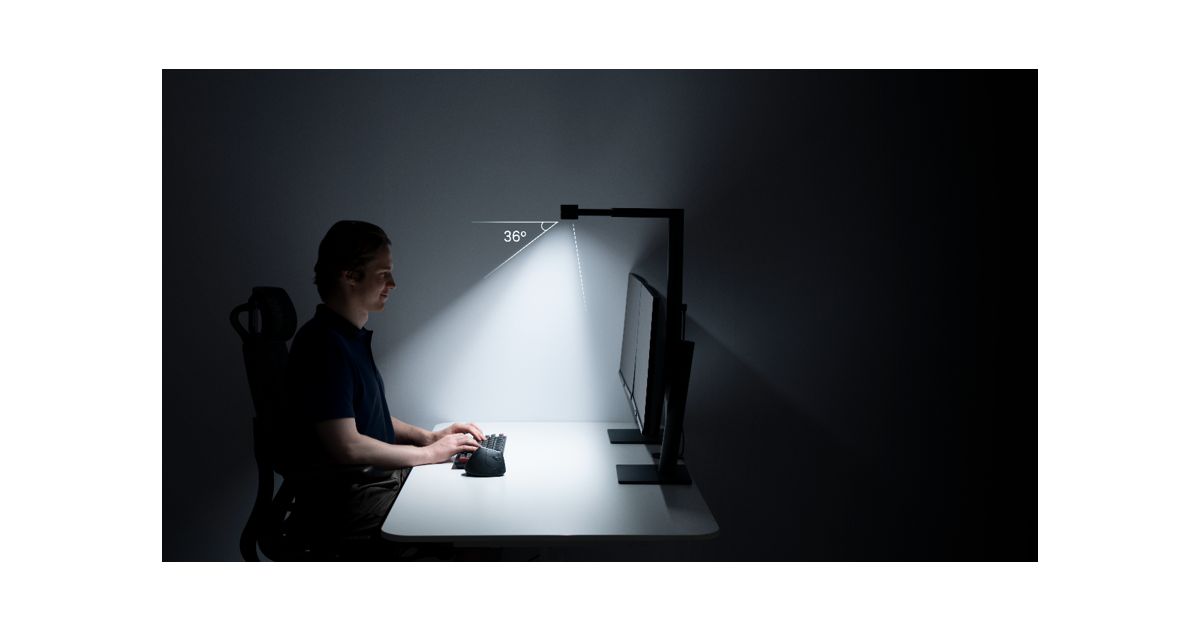
If the remaining issue is paper illumination, compare placement, reach and controls for a task light. If the issue is a bright window, a new monitor light may leave it unchanged. For a wide setup, ScreenBar Max has its own desk attachment and coverage specifications; those are manufacturer claims for stated conditions, not measurements from your room. A larger lamp should solve a named remaining problem rather than be selected solely from a promotional workspace image.
Repeat the original observations
After changing the arrangement, revisit the time that caused the issue and record whether it remains. Use the lighting category and related planning guide to keep the exact model and attachment details together. A useful glare map can also show when no new light is needed. This guide organizes observations and purchase decisions; it does not promise treatment for eye symptoms or certify a lighting installation.
Sources & further reading
- OSHA workstation lighting and glare guidance
- BenQ ScreenBar Max attachment and coverage specifications
Original planning analysis based on the cited specifications. We do not claim hands-on testing. Confirm manufacturer compatibility and follow the supplied instructions.